
Now Available
Introducing KeyCommander
The Command Palette for Cubase & Nuendo
Search and fire any command. Insert any plugin
Cubase has hundreds of commands. You either memorize shortcuts, dig through menus, or waste time clicking around. KeyCommander gives you a spotlight-style launcher (think command palette, jump bar, or quick launcher) that sits in your system tray and appears on demand. With powerful searching you can quickly find and execute the exact command you were looking for.
Other features
/p or /p[1-16]
Search and insert plugins on your selected track
Insert any of your vst2 or vst3 FX plugins on the selected track. Either on the first free slot or a specific slot. Also works with channel strips FX.
/c <category>
Filter based on category
Quickly find what you need by using the category filters.
Cubase puts all commands inside different categories. This allows us to quickly search for a specific command.
/r <count>
Repeat a command in one go
Fire any command as many times as you need, without hammering a shortcut over and over
/macro
Record your own macros
Record your own macros live, on the fly and have them instantly available within the search result.
Export as XML to add them as native Cubase macro.
Even more features!
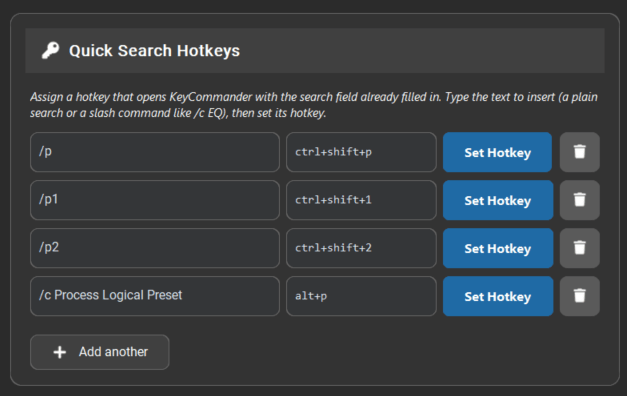
Quick Search Hotkeys
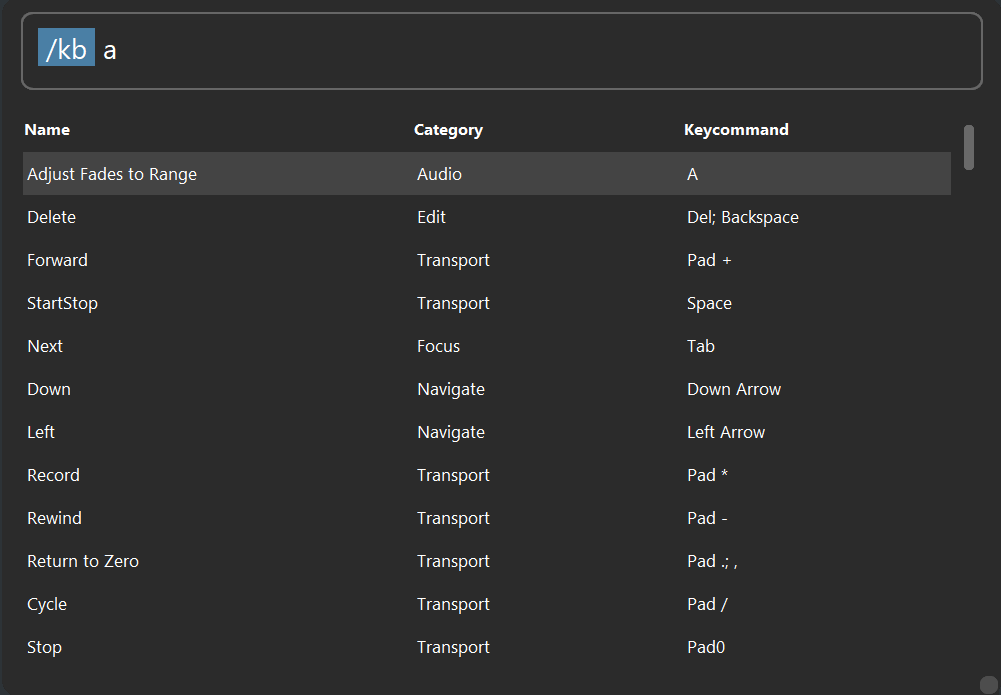
Filter commands with keycommands
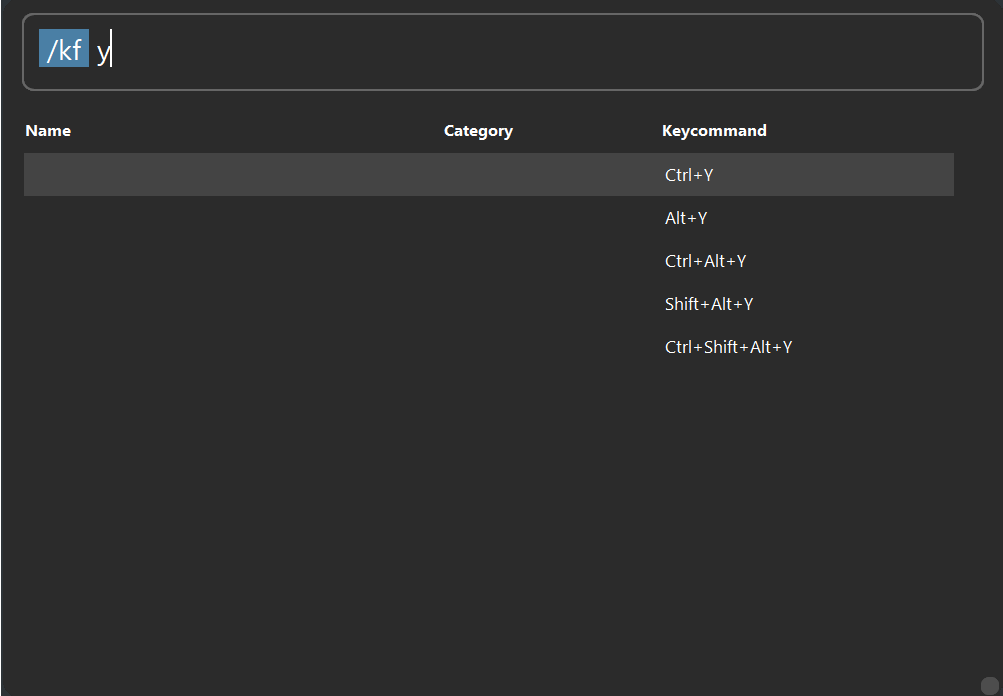
Search unassigned key combos
View all slash commands
/c <category> <search> – Filter commands by category
/p or /p[1-16] – Search your fx plugin and insert on the first free slot of your selected track (or a specified slot)
/h – Show recently executed commands (also via ↑ on an empty search bar)
/top – Show most-used commands (also via ↓ on an empty search bar)
/kb <combo> – Show commands matching a key combination
/kf <combo> – Show unused key combinations
/settings – Open the settings window
/data – Open the data folder (config, macros, etc)
/log – Open the log files folder
/macro – Open the Macro Recorder
/quit – Quit the application
Pricing
€24.99
one-time payment
Lifetime license
Up to 3 devices
Windows & MacOS Support
Free updates
Secure payment via LemonSqueezy — VAT handled automatically
Compatibility
DAW
- Cubase 12 or higher
- Nuendo 12 or higher
The plugin insert feature requires Cubase or Nuendo v15.0.30
Operating system
- Windows 10+
- MacOS 12+ (Intel systems still in Beta)
Windows requirement
A virtual MIDI port driver is required
There is also a new windows native version in development. Search “Windows Midi Services” for more information
What other users say
Rico Derks
★★★★★
KeyCommander truly makes Cubase better! Love this tool Thomas. Well done man!
Bdev
★★★★★
KeyCommander greatly simplifies using Cubase, and I already have three Stream Decks. It’s simple, immediate, and effective!
Midiman
★★★★★
After a few days of using KeyCommander, I feel compelled to say that this is an extremely valuable tool, and I highly recommend it to Cubase/Nuendo users
It feels like one of those workflow tools that very quickly becomes part of your daily routine.
Stefano Maccarelli
★★★★★
This is Genial! Thanks Mate!
Showcase videos
FAQ
For recent changes please refer to the changelog.
What exactly do I get when I buy KeyCommander?
How long will the release discount of 20% run for?
To celebrate the release of the app, I’ve decided to provide a 20% discount the first month of release. I might extend it longer depending on certain factors but no guarantee.
I sadly cannot provide a refund if you did not use the discount code KCLAUNCH2026 at checkout.
How Does It work?
It works by mapping your Key Commands xml-file that is created by Cubase/Nuendo to unique CC messages. We then dynamically map these within a Driver Script form the Remote Midi API. Using a virtual MIDI channel the corresponding message gets send to Cubase/Nuendo and triggers the command.
What is the Macro Recorder?
The Macro Recorder lets you record macros live, by searching via the command palette. Afterwards you can run the macro within the app or export it as XML for you to add to your Key Commands.xml file.
Will this interfere with my existing Cubase setup or key commands?
No. KeyCommander only reads your existing Key Commands file, it never changes it. It adds its own separate driver script alongside your regular Cubase setup.
I encountered a problem or bug while using the app. How can I get support?
Please contact us by sending an email to birchlabs@thomasvanderburg.com. Try to provide us with any relevant information about the system you are using and the steps to potentially reproduce the problem.
How many computers can I install it on with my purchase?
With a single license you can use it on three different computers.
Contact
Please send an e-mail if you have any questions or require support. I’ll try to get back to you as soon as possible
The app is activly being developed so feel free to send any feedback, suggestions or feature requests!